New look of ET

Status
Not open for further replies.
No.

Regarding increasing post count per page. Why not? You always seemed quite reasonable in accommodating user requests before so why so hasty about a simple post count? Not only are we forced to scrolling all the way to the bottom to navigate pages but now there's hundreds of them in the popular threads.

Also, when I view the forums from an ipad safari or chrome the formatting seems screwed up where I can't see the first thread in each sub forum, perhaps it's just me or maybe not. See attachment.
 

Attachments

  • image.jpg
    image.jpg
    502.7 KB · Views: 39
Baron,

No complaints about catering to mobile. I only trade from mobile when the PC is unavailable. I mostly access ET from my iPad.

Re page navigation at the top, your reasons not to are illogical. Everyone else doing it doesn't mean it's right. It is simply inefficient. Department stores make you do a round before getting on the next escalator going in your direction. It isn't meant to make your experience better, it's meant to make you look at stuff you don't want to.

I've asked, you've said no, I'm asking again and this time I'll tell you why. When I ask for the option of the classic look, I'm not interested in the layout. I just want the colour scheme. As another poster who has the same problem said, it is not a matter of taste. The new colour scheme is hard on my eyes. I'm colour blind, use red and blue candles on my charts and this new setup is simply hard on my eyes. I appreciate I'm in a minority and if you say it's on the back burner until you have nothing left to do, fine, but please rethink your position.

One can get used to misery, that doesn't make it pleasant.
 
I just want the colour scheme. As another poster who has the same problem said, it is not a matter of taste. The new colour scheme is hard on my eyes. I'm colour blind,

Here is Pekelo's early Christmas present for those who don't like the white background. Customizing any webpage's background, including ET:

1. Use Firefox or Waterfox browser.
2. Download the Color Transform 4.9 Add-on
3. This one has 18 themes with 2 colors (background and letters) set up, choose which one you like the best.
4. To make it stay permanent, do this:

1) Firstly, apply one or more color transformations to the active page using the theme or transform buttons.
2) Then press the top-left button in the panel to save the applied transformation.
3) Now click the toolbar button to switch automatic transformation of newly opened pages on and off.
4) Alternatively, double-click the toolbar button to apply the saved transformation manually.

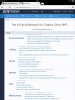
You are welcome.... Here is my green theme:
W7wcNOJ.png
 
Last edited:
Here is Pekelo's early Christmas present for those who don't like the white background. Customizing any webpage's background, including ET:

1. Use Firefox or Waterfox browser.
2. Download the Color Transform 4.9 Add-on
3. This one has 18 themes with 2 colors set up, choose which one you like the best.
4. To make it stay permanent, do this:

1) Firstly, apply one or more color transformations to the active page using the theme or transform buttons.
2) Then press the top-left button in the panel to save the applied transformation.
3) Now click the toolbar button to switch automatic transformation of newly opened pages on and off.
4) Alternatively, double-click the toolbar button to apply the saved transformation manually.

You are welcome.... Here is my green theme:

W7wcNOJ.png
Looks nice. Got the equivalent for iPad/Safari? I mostly visit ET from iPad.

Have FF on the PC, will set that up with this trick. Appreciate the help.
 
Status
Not open for further replies.
Back
Top
