
You are using an out of date browser. It may not display this or other websites correctly.
You should upgrade or use an alternative browser.
You should upgrade or use an alternative browser.
Live MES DOM Trading
- Thread starter souilh
- Start date


Interesting way to trade. I would like to learn what you do...TY for sharing.
Es
Es
I'm still trading just waiting another good entry
and as i explain before i don't use chart only DOM
So for European Time i trade DAX with the correlataion of FESX FGBL and FGBM and ES on US Time
I'm still trading just waiting another good entry
and as i explain before i don't use chart only DOM
So for European Time i trade DAX with the correlataion of FESX FGBL and FGBM and ES on US Time
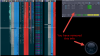
Right...but when you showed your chart (meant your DOM in my prior message)...you also showed your trades (profit/loss info).
Now you only show the DOM of the mention trading instruments...no profit/loss info and no open/closed position info. I've attached an image to show what you use to show in comparison to what you now show.
Yet, you may be implying you now have no trades and will show that info when you open trade positions again ?
wrbtrader
Attachments
Last edited:
Yes i manage to remove it as i don't have enough space to put all new Eurex DOM but you can see trades live on hcart and i will try to show profit after every trades and at the end of the session
the power meter is usefeull for you ? if the case i will see how to add it again
Yes, I find it useful to see a list of positions that were open during the trading day and closed along with an current positions still open with the time of entry.
I didn't know what the use of that power meter (lower right corner) considering I don't know what trade execution platform you're using to be able to look up any info about it. The other issue is that I'm not a DOM trader although I have a DOM in my trade execution platform.
If I pull up my DOM and compare it to your DOM...I then see that lag between our DOMs in real time. Your live stream info (DOM) has a lag for me of 3 - 6 seconds.
I mentioned the time lag for the viewer is because I see it in my own private live stream. To explain, I have a home in France with the computer always on and the trading info on the monitor being privately live streamed to my home where I'm currently at in Québec.
I see the lag of 4 - 8 seconds. I've done the same private live stream from Chicago with a lag of 3 - 7 seconds.
The issue about the lag its also seen in live sports events. For example, I would live stream my kids sports events from Québec back to family in Chicago and France...they would see the sports event via a lag of 10 - 30 seconds.
Further, I notice the lag when my kids are live streaming their gaming (Fortnite) from Québec with their friends in France and Chicago.
All of this issue about the lag makes me wonder sometimes about the data (DOM or Chart) that the broker sends us. Sure we can ping their servers but is the ping info useful and tells the truthful story about the lag we as traders get from our broker and then the lag is compounded when we send the info to other viewers about what's on our screens.

Is it possible to remove that lag or minimize it further ???
wrbtrader
Looks like Jigsaw wrb...
Souilh...could you walk me through what you look at to base your entry on?
Es
Es
Hello ,
I use Jigsawtrading.com this platform
yes is normal that lag this what i explain first regarding the latency normaly is arround 3 to 4 seconds for that reason i add a clock to see also seconds and compare to your to be sure of the amount of latency
now i just add the positions where youu can see trades if you can check that you can see it ?
France donc vous parler francais LOL
Lag can be avoid if we use other platform but i have to pay i already do that in the past and it was with1 second or 2 but for the moment really i dont want to pay for this sharing
the idea is just a sharing of my way of trading is not the best one i have horrible day and very nice day but at the end of each month im always ++ so if can help someone to see also how DOM is working im happy to help for free i sell nothing just want i start i would love to find someone to help and now want to do the same
I use Jigsawtrading.com this platform
yes is normal that lag this what i explain first regarding the latency normaly is arround 3 to 4 seconds for that reason i add a clock to see also seconds and compare to your to be sure of the amount of latency
now i just add the positions where youu can see trades if you can check that you can see it ?
France
donc vous parler francais LOL Lag can be avoid if we use other platform but i have to pay i already do that in the past and it was with1 second or 2 but for the moment really i dont want to pay for this sharing
the idea is just a sharing of my way of trading is not the best one i have horrible day and very nice day but at the end of each month im always ++ so if can help someone to see also how DOM is working im happy to help for free i sell nothing just want i start i would love to find someone to help and now want to do the same