I began exploring the step-by-step directions/instructions for creating an expert advisor this morning. However, it was written for MetaTrader 5, whereas I am using MetaTrader 4, so it looks like I am finally going to be
forced to switch to the newer platform.
In completing the initial steps, MetaTrader 4 pulled up this window…
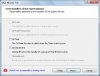
…which was nonexistent in the MetaTrader 5 instructions, leaving it unclear as to what I should do, or not do, with it.
Moreover, I received a notice of where to go to find out how to create trading robots without having to write any code, but this too was designed for MetaTrader 5.
I looked at the video, but the information in it went by too fast, so I’m going to type it out here in text form so I can review it at my own pace/leisure…
CREATE TRADING ROBOTS WITHOUT WRITING A SINGLE LINE OF CODE:
Even if you are not a programmer, you still may develop your own trading robots and technical indicators in MetaTrader trading platforms. By using MQL5 Wizard, you can assemble a robot without writing a single code string.
The trading platform contains an editor of trading strategies called MetaEditor, which allows creating trading robots without programming. With the built-in MQL5 Wizard, you simply select the components and assemble the new expert advisor.
Over 50 expert advisers have been created in the MQL5 Wizard, and their detailed descriptions and screenshots are all available in the code base. All of these trading robots are composed of three main units, which include: (1) the generation of buy an dell signals, (2) trailing of open positions, and (3) money management.
The default MQL5 Wizard standard package of modules contains:
- Twenty (20) units of trading signals
- Three (3) position trading modules, and
- Five (5) lot management modules.
By simply combining these units, you can generate 300 expert advisors. However, the actual number of possible combinations is almost unlimited. Here is why…
Start the MQL5 Wizard and select the generate expert advisor option. (The only required field that need be completed here is the name of the expert advisor. The other fields are optional.)
The first unit is responsible for the generation of trading signals, so choose the required signals. For example, you might want a trading signal that is based on a stochastic indicator. (Click on the question mark or F1 to read its description.) The MQL5 Wizard allows creating complex strategies, so let’s add signals based on the envelope indicator.
Additionally, we turn on the intraday filter, which will help find favorable and unfavorable trading hours during optimization. Furthermore, individual weights can be set for each type of signal, to define their contribution to the resulting trading signal. The closer the weight of a module to zero, the weaker its influence on the final trading decision made by the expert advisor.
As you can see, we have used a unit with three modules of trading signals in one robot. It means any number of combinations can be created using the standard 20 modules for the generation of trading signals.
The second unit is the protection of open positions. Type of trading should be chosen in this step. For example, take a popular trading method based on the parabolic indicator.
Next, one of the modules for lot size calculation should be selected for the third unit of money management. For example, this expert advisor will trade with the risk level of three percent (3%) of the deposit.
That’s all! We have developed a trading robot which is ready for compilation now!
We can then test and optimize the input parameters of the resulting expert advisor and run it on a demo account for online testing. A complex trading system consisting of various complexes has been created without programming.
But that’s not all!
The MQL5 Wizard allows using custom modules. You can develop such modules or order them from professionals. This will provide even more opportunities for creating expert advisors. Now you know how to create a trading robot without writing a single line of code.