Quote from ozonewave:
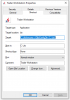
It is not necessary to downgrade to 32 bit Java. The problem is just that the default setting on TWS looks for 32 bit Java, but you should just change the Target text box (preferences) to look for the pre-installed 64 bit Java.
You just change:
C:\WINDOWS\system32\javaw.exe
to
C:\WINDOWS\sysWOW64\javaw.exe
I think it's a good idea to increase the memory to 1024 as you indicated.
The full value of the Target text box is now:
-------
C:\Windows\SysWOW64\javaw.exe -cp jts.jar;hsqldb.jar;jcommon-1.0.12.jar;jfreechart-1.0.9.jar;jhall.jar;other.jar;rss.jar -Dsun.java2d.noddraw=true -Xmx1024M jclient/LoginFrame C:\Jts
I have done this and now when I check "Enable DDE Clients" in TWS i no longer get the error msg. But I still can't get the TWSDDE.xls to work. When I type in a quote in the tickers tab and click on the Market Request button excel simply freezes and locks up on me.
I am using Windows 7 Home premium and Excel 2010. Have tried API version 965 and 966.
Any help would be greatly appreciated.