What do the tech savvy recommend for component parts of a new PC build or pre-built?

I have some RAM coming today, which will double what I currently have from 16gb to 32gb.

I have replaced/installed RAM before but I have never switched out a CPU, I have noticed in my task manager that my CPU does get bogged down during the open/times of heightened volatility (up to 80%+ at times, although atm it's down to 35% with my memory at 48%), just wondering if there is possibly another CPU that I could buy that would work my current motherboard that isn't necessarily a major upgrade (therefore hopefully not too expensive) but would still be at least a slight improvement.

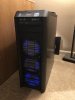
I currently have a i7-4790 CPU @ 3.60GHz and my motherboard is a Z87-HD3 (images attached for exact specifications).

How do I go about shopping around for a different CPU that would fit that board, I'm not even sure what to type in/look for..

Search for the "specs" of your computer/mobo. That will tell you what you can do. Your CPU is "low-average". Consider upgrading "all around" and scrapping what you have to a lower priority function and replacing with a more modern machine. (I still have one computer running W7 on a "dedicated low-function" use.... "bigger, better, faster" computer would be no improvement on function for this machine.)
 
I have some RAM coming today, which will double what I currently have from 16gb to 32gb.

I have replaced/installed RAM before but I have never switched out a CPU, I have noticed in my task manager that my CPU does get bogged down during the open/times of heightened volatility (up to 80%+ at times, although atm it's down to 35% with my memory at 48%), just wondering if there is possibly another CPU that I could buy that would work my current motherboard that isn't necessarily a major upgrade (therefore hopefully not too expensive) but would still be at least a slight improvement.

I currently have a i7-4790 CPU @ 3.60GHz and my motherboard is a Z87-HD3 (images attached for exact specifications).

How do I go about shopping around for a different CPU that would fit that board, I'm not even sure what to type in/look for..

You need to search for the "specs" on your computer. It will list the CPUs which are compatible with your mobo... and you may choose the faster among those.

Many think the CPU is the "heart of the computer". It's not. The motherboard is the controlling factor. You can't do anything outside what the mobo allows.

The desktop/workstation computer has 2 operating systems. We all know about one of them... like W10 which controls software. The other OS is the "system OS" which runs the motherboard and peripherals, sort of "in the background". It's either BIOS/Legacy or UEFI. You can't do anything outside what the system OS allows.
 
Last edited:
How do I go about shopping around for a different CPU that would fit that board, I'm not even sure what to type in/look for..

Search for the Specs on your computer. It will show which series of CPUs are compatible. Likely nothing outside those specs will work. (Example, my workstation specs state, "Xeon E5-16xx and E5-26xx" CPUs. Have to choose from one of those.)
 
I just assembled a new PC this week that I'm happy with so here's a breakdown of the parts and a few thoughts.

Get those parts, spend 2 or 3 hours putting the whole thing together, add the graphics cards and hard drives you already have, and you're done.
Total price: $1414.94 + tax and you'll have one of the fastest setups you can possibly buy with hand-picked high quality parts. You could go faster in multi-core speed but the price would instantly triple or quadruple as you'd have to buy a high end Threadripper or Xeon and even then you'd still be much slower in single core.
View attachment 275519

Really appreciate the detailed insight into what you have done and the links that you have provided.

I have never built a system from scratch all on my own, are there any DIY online resources for putting one together that you could recommend?

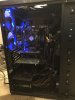
I'm assuming my current case is big enough to fit all of that stuff (though I'm not 100% sure, pics provided), but I think I will probably keep my current system as is and use it as a back-up system, which means I will need to take my current SSD into a shop and have them copy everything over to the new one correct?
 

Attachments

  • IMG-0426.jpg
    IMG-0426.jpg
    1.9 MB · Views: 24
  • IMG-0427.jpg
    IMG-0427.jpg
    1.9 MB · Views: 23
  • IMG-0428.jpg
    IMG-0428.jpg
    1.8 MB · Views: 23
Really appreciate the detailed insight into what you have done and the links that you have provided.

I have never built a system from scratch all on my own, are there any DIY online resources for putting one together that you could recommend?

I'm assuming my current case is big enough to fit all of that stuff (though I'm not 100% sure, pics provided), but I think I will probably keep my current system as is and use it as a back-up system, which means I will need to take my current SSD into a shop and have them copy everything over to the new one correct?

No problem, I would have responded sooner but I've been up to my ears in alligators with this market. Best trading I've seen in a while.
That Antec 1200 case you have is massive and would fit everything with a little modification for the water cooler but you have the right idea, hold onto it as a backup. I keep my 8700k system running as a hot back up right next to my new box. You never know when something might flake out on you.

copy SSD
To get the stuff copied over to the new system, yeah just take it to the local computer store or even Best Buy. The latter has the "Geek Squad"; they'll be able to take care of something like that.

DIY sources
I've been building my own computers since way back in the day so I mostly just wing it but the easiest trick is plug the exact model of any part into YouTube and you'll find a plethora of detailed videos on how to put it together. That's all I do when I get stuck. Also I just put that exact system together so if you get in a jam DM me or reply in this thread.
 
I've been building my own computers since way back in the day so I mostly just wing it but the easiest trick is plug the exact model of any part into YouTube and you'll find a plethora of detailed videos on how to put it together. That's all I do when I get stuck. Also I just put that exact system together so if you get in a jam DM me or reply in this thread.

I really appreciate that offer and I'm assuming I will undoubtedly get to a point where I will need to take you up on that.

I think I'm just going to bite the bullet and order everything that you recommended. I typically like to research things a bit more before taking the plunge but in this particular case I feel like this is something that I could spin my wheels on for many months plus, and since I have practically zero experience in this department my subjective knowledge of what I read will be of limited to no value. And, at the end of the day I really want to get something up and running that can pull up my charts without any lag ASAP.
 
Back
Top