So nvidia nvs 450 will not work for Laptop ??Any desktop with a nvidia nvs 450 will let you run 4 monitors.

You are using an out of date browser. It may not display this or other websites correctly.
You should upgrade or use an alternative browser.
You should upgrade or use an alternative browser.
Mac book + monitors
- Thread starter sandeepsopc
- Start date
What are the options for connecting 2+ monitors using a laptop ??No
I think buying a desktop will be an additional expense because I have a laptop already. Any suggestions please.
Thanks for all your responses.
You can connect a third screen to a mac laptop using a USB adapter. What Mac do you have?
Mac Book Pro
Google it.Mac Book Pro
Hi all,
I got bit confused by reading multiple posts about monitor,video card , desktop & Laptop. so want to start with step by step.
Currently using Macbook pro and one cheap monitor ( used thunderbolt for connecting).
Plan - Step-up 4 monitors
Planning to buy laptop or desktop and 3 monitors.
Please share what to buy based on the above to complete the budget friendly 4 setup monitor screens.
MacBook Pro 13 inch Retina display only 8gb ram have pushed with NO LAG or POOR QUALITY a total of 4 1080HD TV's...
3 are 32 inchers & 1 is a 60 inch... Also using the laptop screen... Again flawless performance. I ran all mine via HDMI so 1 has a thunderbolt to HDMI adapter, one is straight to the only true HDMI port, the other two I have tried MANY MANY MANY things which I found the "J5 Create USB 3.0 to HDMI adapter's" to be the fix while being a expensive solution... Although after this set up was working successfully for many months I realized personally it was "too much" as I would get distracted...
So Apple's website or what majority of people will tell you is only 2 externals are possible... Not true

Goodluck...
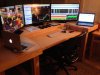
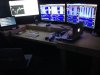
(The second laptop in no way shape or form pushes anything... I used it purely for tinkering with setting up an "auto trader"... I also built my own set up years ago from when I was paper trading non stop every free minute I had so excuse the mess). I'll try to upload a current desk pic...