
IB TWS layout nightmare

You are booting from the server, where your last save, of course, says, "use/store settings on server".

You need (I *think*) to download TWS to your HD, and set that up as your boot. Then, your entire set-up will exclude IB's server set-up.

Why do they do this? Well, we have three ways to "play":
1) paper account.
2) settings (.xml) in the jts folder with particular names (e.g., "friday-ES-fun.xml")
3) local HD .xml versus IB server-based .xml.

If you're using the (mostly-recommended by IB) IB-server-based TWS download, if you make changes you're not sure about, then specify "Do not use/store..."

At any event, this is all MY RECOLLECTION, which, Jeez, I seem to need to re-learn every time. Maybe it'll work for you, though.
makes total sense! but, one more time-the TWS version i've been using up until this morning was a stand alone 952.3. with everything (SPECIALLY Check for TWS update") disabled. and i've been using it exact way you described above. downloaded,clean install and runs from my PC. nice ,clean setup.
no changes been made on my side, it did it all by itself this morning. clicked on TWs icon on my desktop,when it was appears to be loading-it download update and updated itself. to 963. and all settings went to shit.

PS- removed 963,i tried to install old version 952.3 as you recommended to run it from PC-did same thing. upon start-it updating itself to 963. you have no choice,no control.

my guess-it's all related to "snapshot" data shit whatever it means. but for fuck sake-what this all has to do with ALL my settings thru TWS?
 
Last edited:
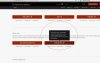
i like to ask IB about this : repeat this to me. what it says on your website ,on screenshoot below? DOES NOT UPDATE ITSELF!!! yes, it does

and no. there is no more option not to run from their servers. so my post about that stupid check box so save settinsg on server that "checked" every time still stands.
 

Attachments

  • ib.JPG
    ib.JPG
    94.3 KB · Views: 49
i like to ask IB about this : repeat this to me. what it says on your website ,on screenshoot below? DOES NOT UPDATE ITSELF!!! yes, it's fucking does

and no. there is no more option not to run from their servers. so my post about that stupid check box so save settinsg on server that "checked" every time still stands. this is fucked up

I'm running TWS Build 944.3c and I turned off the "Check for TWS Updates" from the Windows startup programs. I have not been auto-updated. Maybe reinstall your old TWS version and make sure that "Check for TWS Updates" program never runs.
 
Today TWS updated itself, even with all "auto update" features disabled to 963.3a and off course rather than trade i already spent 2 hours fixing same almost two DECADES old issue-all columns are messed up,"recovery" doesn't do shit. some columns are added by itself like expiration time and so on. ticker action...i don't even know WFT this shit means..why you do this to us all the time,every singe time? all morning is wasted and i'm still not able to bring them all into same order. now try to do this exercise,if you have multiple accounts.

You just SO described my day.

You know, in the past 5? years, these "updates" have lost most of their harmful effects.... (But, going away from that 949.3d was a cryin' shame.....EVERYTHING was perfect there...)

But this morning's??
My poor eyes are darting all over the place, trying to assess positions, and everywhere I'm looking, all the visual cues are messed up because of a "little change" that was unsought, unanticipated, AND UNNEEDED.

I need to join the navy, to learn sufficient color, to describe this in appropriate language.
 
financial instrument. why the fuck there is two of them in the market data and in order column? it's same shit ..or isn't?

It was the former "Contract" -- some IDIOT decided that a two-syllable word didn't do it.

NUMBNUTS. Need to be FIRED. (No, not being humorous.)
 
ended up with solution that hopefully will work for me. not relying on their "recovery" bullshit or settings file i made a screenshoot of column and tabs configuration window for both marker data and order columns. looks like this is the only way to "save" your current setup from unexpected changes.

Yeah. Been doing that for years. UNFORTUNATELY.
 
You are an idiot is all I can say to this.


I have a pile of rags in my garage that neighborhood cats fight to pee on the most often.

That pile of rags has more smarts, and more class, than you.


That is all.
 
Yeah, I checked the heap memory usage of TWS after being open for the whole trading day (and after I bumped up the VM heap size to 2000M), and it was over 1600M. Wow.
 
Mate, I run tws on over 6 displays on one machine and on 2 displays on a second machine. I never had layout issues. Not once. And I run on the newest tws version. There is something you are doing wrong for sure. What gets me is that you are looking for IBs fault before you even post a reproducible error that can be properly debugged.

go back to a page #2 and re read what i wrote..here----all columns are messed up,"recovery" doesn't do shit. some columns are added by itself like expiration time and so on. ticker action..-------------

i'm user of this software for almost two decades. and i'm well aware of it's nature. i even have a separate backup directory where all my accounts settings files are stored . SEPARATELY,on SEPARATE PARTITION. let me repeat one more time- "recovery" did nothing. replacing settings files in JTS directory did nothing. it did not restore my setup. one more time-storing settings on their servers was DISABLED in my TWS before this forced update. for this particular reason, explained above. because i often switch computers with different screens and resolutions. i did not ask IB to store my settings on their servers. i did not ask IB to change fonts,font sizes everywhere. i did not ask IB to change order and number of columns and order columns on my TWS. list of shitty, messed up changes that doesn't make any practical sense to me is endless. why the fonts and sizes on charts being changed and substituted with a micro letters ? it takes another few minutes to find how to change that. order ticket window. the checkbox for "hidden" order use to be in "basic", now every time you use order ticket window-it requires couple extra clicks to check this feature and create hidden order. why? why it's been moved into "enable hidden features" tab? makes ZERO sense to me. not only that,once you click to enable hidden order check box -it wont be there next time you try to use order ticket window. so you have to do it every single time, when you want to create hidden order via order ticket window (which i use a lot). when you right click on the ticker to bring that option-that little window with charts,trading tools etch-flickers like crazy for a few times before you can actually choose anything. wasn't like that before. and all this just after brief attempt to use this piece of shit TWS after "upgrade"
go back to a page #2 and re read what i wrote..here----all columns are messed up,"recovery" doesn't do shit. some columns are added by itself like expiration time and so on. ticker action..-------------

i'm user of this software for almost two decades. and i'm well aware of it's nature. i even have a separate backup directory where all my accounts settings files are stored . SEPARATELY,on SEPARATE PARTITION. let me repeat one more time- "recovery" did nothing. replacing settings files in JTS directory did nothing. it did not restore my setup. one more time-storing settings on their servers was DISABLED in my TWS before this forced update. for this particular reason, explained above. because i often switch computers with different screens and resolutions. i did not ask IB to store my settings on their servers. i did not ask IB to change fonts,font sizes everywhere. i did not ask IB to change order and number of columns and order columns on my TWS. list of shitty, messed up changes that doesn't make any practical sense to me is endless. why the fonts and sizes on charts being changed and substituted with a micro letters ? it takes another few minutes to find how to change that. order ticket window. the checkbox for "hidden" order use to be in "basic", now every time you use order ticket window-it requires couple extra clicks to check this feature and create hidden order. why? why it's been moved into "enable hidden features" tab? makes ZERO sense to me. not only that,once you click to enable hidden order check box -it wont be there next time you try to use order ticket window. so you have to do it every single time, when you want to create hidden order via order ticket window (which i use a lot). when you right click on the ticker to bring that option-that little window with charts,trading tools etch-flickers like crazy for a few times before you can actually choose anything. wasn't like that before. and all this just after brief attempt to use this piece of shit TWS after "upgrade"
 
Back
Top