If you haven't noticed, IB updated the default stable TWS to 963.3a as of this weekend, which caused things to look and act slightly differently. After a hour or two of fooling with it, I fixed 3 of my main annoyances from the "Layout Nightmare" thread.
I recommend checking the following and in this order:
1. The update reverted your graphics heap to the default (too low) memory amount. This will cause general slowness and graphical unresponsiveness. Fix it by going to ~/Jts/tws.vmoptions and under the "max Java heap size" try 2 gigs, ie "-Xmx2G" instead of the "-Xmx680m". Then restart TWS. You can see your heap memory use in TWS by Help->About TWS.
2. The stupid "Key" order column is now mandatory and reappears if you delete the column once you switch away from that tab and switch back. When you have related orders, they have order groups and related key numbers (ie stop loss attached to a buy). I don't want to see this and I don't want to see it right in the front of my order row. To fix this, go to
Edit
Global Config
Trading Tools
Quote Monitor
Default Layout
Then switch to the Order Columns (2nd tab). If you don't see Key in the list, find it under the Status properties and Add it. Then use the down button to move it to the bottom of the Shown Columns list. If you can't get rid of it, at least you can push it of the far right side of your screen and not look at it.
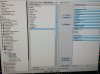
3. The Column bug. Basically if you you're unlucky and try to resize the TWS quote monitor columns on one page, it screws up the layout on other pages. Every time you switch pages, you have to fix that one and a bad layout with super wide or super tiny columns renders some data unreadable. Very annoying. To fix, go to
Edit
Global Config
Trading Tools
Quote Monitor
And look for the Pages and Other Layouts sections. In Pages, you should see your list of named pages. Go to Other Layouts, select New and give the new layout a unique name, ie page1, etc. I made a layout with the name of each of my named pages. Then go to Pages, and for each page, change the Layout from Default to the custom one you just made with the same name.
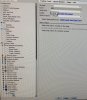
Now when you go through and adjust all your columns to be "just right", it will remember and not associate it with any others. I had to do this many times a day for the past week when this but showed up for me, and today was hopefully the last time!
4. You might want to check this thread to make sure your stock and futures market data settings are updated in light of whatever exchange annoyance required IB to pay more for non-snapshot data feeds.
Good luck and happy trading!
I recommend checking the following and in this order:
1. The update reverted your graphics heap to the default (too low) memory amount. This will cause general slowness and graphical unresponsiveness. Fix it by going to ~/Jts/tws.vmoptions and under the "max Java heap size" try 2 gigs, ie "-Xmx2G" instead of the "-Xmx680m". Then restart TWS. You can see your heap memory use in TWS by Help->About TWS.
2. The stupid "Key" order column is now mandatory and reappears if you delete the column once you switch away from that tab and switch back. When you have related orders, they have order groups and related key numbers (ie stop loss attached to a buy). I don't want to see this and I don't want to see it right in the front of my order row. To fix this, go to
Edit
Global Config
Trading Tools
Quote Monitor
Default Layout
Then switch to the Order Columns (2nd tab). If you don't see Key in the list, find it under the Status properties and Add it. Then use the down button to move it to the bottom of the Shown Columns list. If you can't get rid of it, at least you can push it of the far right side of your screen and not look at it.
3. The Column bug. Basically if you you're unlucky and try to resize the TWS quote monitor columns on one page, it screws up the layout on other pages. Every time you switch pages, you have to fix that one and a bad layout with super wide or super tiny columns renders some data unreadable. Very annoying. To fix, go to
Edit
Global Config
Trading Tools
Quote Monitor
And look for the Pages and Other Layouts sections. In Pages, you should see your list of named pages. Go to Other Layouts, select New and give the new layout a unique name, ie page1, etc. I made a layout with the name of each of my named pages. Then go to Pages, and for each page, change the Layout from Default to the custom one you just made with the same name.
Now when you go through and adjust all your columns to be "just right", it will remember and not associate it with any others. I had to do this many times a day for the past week when this but showed up for me, and today was hopefully the last time!
4. You might want to check this thread to make sure your stock and futures market data settings are updated in light of whatever exchange annoyance required IB to pay more for non-snapshot data feeds.
Good luck and happy trading!
Last edited: