Hello, I just installed Ninja Trader 7, and I am hoping to be able to export the data of ES (E-Mini S&P500) into an Excel file, but I could not find any way to achieve this on the trading platform.
I am looking to export both the 30 minutes and 1 minute interval, of Price (High, Low, Open, Close Candlestick) and Volume in that interval.
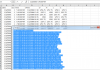
I am attaching a screenshot of what I am seeing, and I could not find a way to export it. By the way, I login using the Demo account credentials which NinjaTrader emailed me. Username start with Demo23*****
Thanks much!
Sean
I do and HAVE DONE this many times. If you are wanting to do this in NT7, and export the OHLC values along with time, what I do is use a script I created that is very simple. This will simply output what you have on your chart.
You have several options to actually get the data INTO excel.
You can actually write to an excel file with a DDE. This takes quite a while, as you see the excel file populating, it is quite time consuming and not worth it if all you want is the historical data to analyze later. If you are doing this real time, there are better ways of getting real time data into excel. Using something like XLQ is cheap and works better for this.
You can write to a text file. This is much faster, and populates a text file on your desktop in a few seconds for several years of minute data. You then just open this with excel and turn it into an excel file. You have to setup streamwriter in your NT script. Depending on HOW MUCH DATA you have, this might be your option. But 30 min data does not require that much space for several years.
You can simply output the data from your chart to the "Output Window" then copy and paste into excel. This is the simplest, and depending on HOW MUCH DATA, is the easiest and fastest. If you don't have much data, this is easiest option. Once you paste into excel, you simply go to Data->Text To Colums->and delimit based on the commas(I added commas into the script) as that's how excel will sort it.
Feel free to modify the NT script to output what you want. I don't have one for volume, but you can probably figure out how to add it quickly. The attached file and picture is for option 3, of using the output window to get to your data.