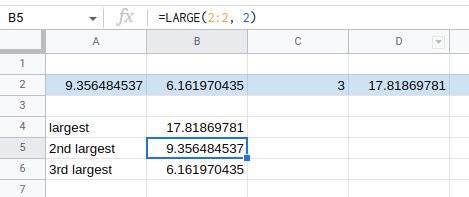
=LARGE() and =SMALL() will give the nth largest/smallest in a series
You just need to have nothing else in the row or column that is basically representing the array/series. Then the only thing you would have to figure out is how you are appending values to that row or column.
I would figure out one symbol and then make a new sheet in the workbook for each symbol. Then make a sheet that is basically a dashboard for all the sheets for however you want to visualize the data.
VBA to me is never an option. If you need VBA then it is way easier to install conda and learn to use pandas in a jupyter notebook. Pandas came about from Wes McKinney working with trading data at AQR so it pretty much does anything you could ever want to do with trading data.
https://saturncloud.io/ is nice if you don't want to install locally and just use a cloud based jupyter notebook.