
You are using an out of date browser. It may not display this or other websites correctly.
You should upgrade or use an alternative browser.
You should upgrade or use an alternative browser.
es options
- Thread starter met1989
- Start date
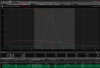
You have made "very wierd" settings to display your "wierd" diagram. Did you want to observe Today, and Expiration? (The typical knee-jerk view), if so you need to set to something like this: (Verify you have not modified your date settings (Upper right corner date for expiry , and lower date in "Positions and Simulated Trades" for your "current date".
Attachments
Last edited:
this is very weird i put in everything ecatlu ike you and that's wha comes out very weird what should i do?You have made "very wierd" settings to display your "wierd" diagram. Did you want to observe Today, and Expiration? (The typical knee-jerk view), if so you need to set to something like this: (Verify you have not modified your date settings (Upper right corner date for expiry , and lower date in "Positions and Simulated Trades" for your "current date".
View attachment 206133
Can you post your complete image, to allow observation of your settings (like my post)?
Those are day-step payoff diagrams. Across the top you should have a toolbar that is (L->R) Symbol, Commission Include/Exclude, Lines: XXX, Step: XX, Metric, Prob Mode, etc
Change "Lines:" to "+1 @ Expiration" and the step should N/A out.
This will leave you with the current P/L line (purple) and your @ expiry payoff, which is blue.
Change "Lines:" to "+1 @ Expiration" and the step should N/A out.
This will leave you with the current P/L line (purple) and your @ expiry payoff, which is blue.