Dell guys are great guys, but IT'S NOT working

What is good resource in the U.S. to get a slightly customized tower built.
I'm in southeast Delaware.
I need a computer that will support multiple monitors (without using a USB connection)
DELL is 12,000 miles away.
Is there nobody closer who can build computers ??
I thought we were in the Age of High Tech.
 
Last edited:
What is good resource in the U.S. to get a slightly customized tower built.
I'm in southeast Delaware.
I need a computer that will support multiple monitors (without using a USB connection)
DELL is 12,000 miles away.
Is there nobody closer who can build computers ??

Any modern computer with at least 2x, PCIE x16 slots will work for you. To run multi-monitor, you need a proper video card. Lots of 2-port and several 4-port cards available. Personally I like Nvidia Quadro Line, but AMD has some which are OK too. (The computer you have now may be perfectly adequate for trading... and all you may need is a new video card.)

You can always buy a Dell workstation... like "Precision T5820"... one from their outlet store may be around $900... more if you want higher performance. I'm highly in favor of going the "workstation route".

(I recently bought a Precision T5810 for $72 on eBay to replace one that had the mobo go bad. The $72 computer runs 4 monitors just fine with a Quadro P620 video card. Replacement version for that card is T600.)

I also recently bought a refurbished Dell Precision 7520 laptop. Precision is Dell's best quality line of computers, IMV. I've had many with minimal failures of any kind.

FWIW...
 
Last edited:
Thanks Scat.
I did order a new DELL XPS 4 months ago.
Supposedly it supports up to 4 monitors.
Both monitors ran for 3 months.
Now one screen is dead.
Dell support has become long on apologies, short on solutions.
(although I have to suspect Windows 11 architecture is involved)
Some of my apps (File Explorer) are launching on the dead screen.
And I haven't figured out a way to move them to the monitor that is working.
This is what car guys call a "gearbox of neutral"

Cool you know so much about hardware.
I don't.
Can you please suggest a URL?
Many thanks.
CB
 
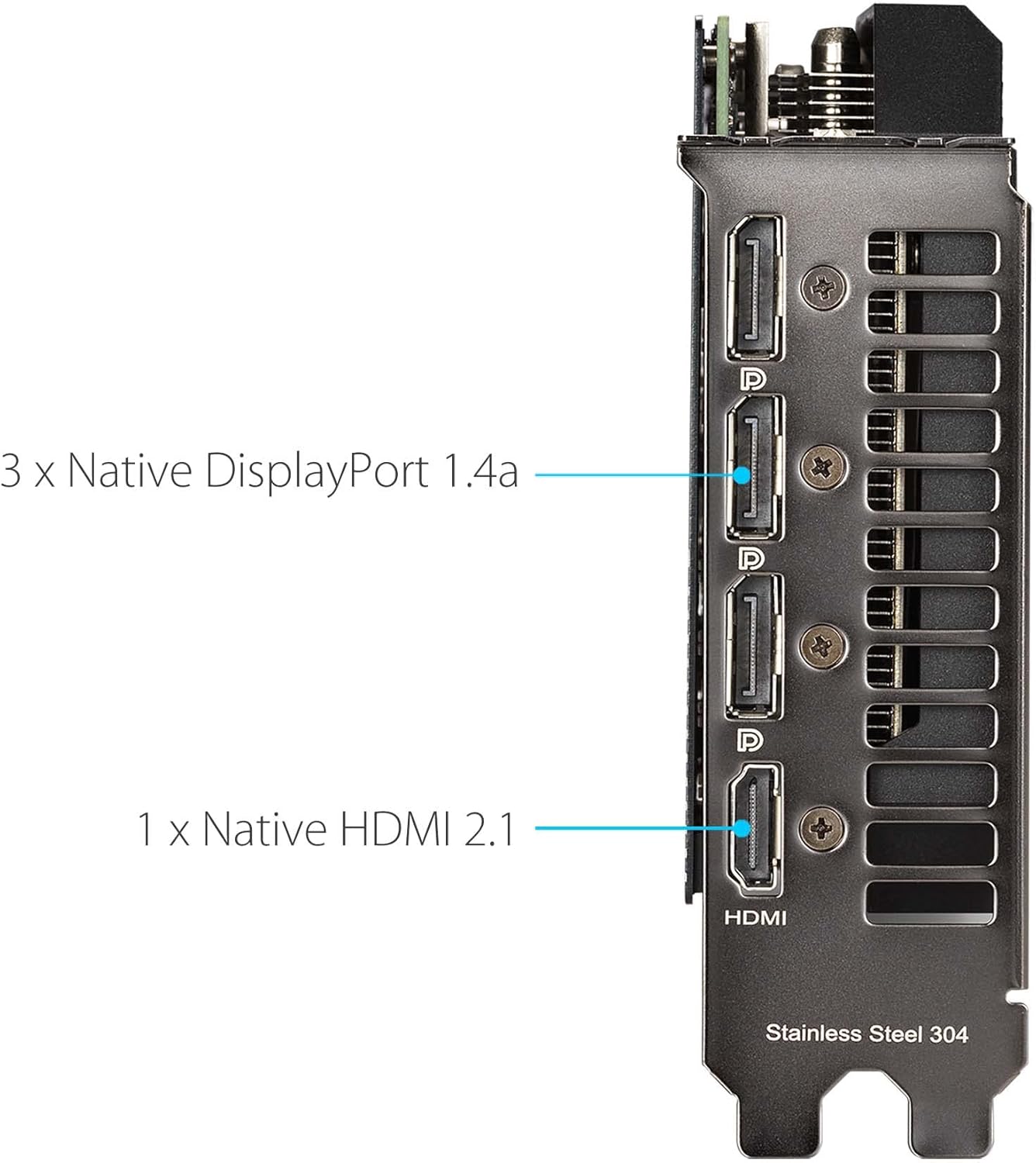
The RTX 3050 (US$350 - Amazon price) can connect up to to 4 monitors (3 DP and 1 HDMI).


71JF0g72LAL._AC_SL1500_.jpg
 
Thanks Scat.
I did order a new DELL XPS 4 months ago.
Supposedly it supports up to 4 monitors.
Both monitors ran for 3 months.
Now one screen is dead.
Dell support has become long on apologies, short on solutions.
(although I have to suspect Windows 11 architecture is involved)
Some of my apps (File Explorer) are launching on the dead screen.
And I haven't figured out a way to move them to the monitor that is working.
This is what car guys call a "gearbox of neutral"

Cool you know so much about hardware.
I don't.
Can you please suggest a URL?
Many thanks.
CB

Is your XPS a laptop or desktop?
 
The reason that I suspect Windows 11 is because,
along with losing connection to one monitor,
I have had constant problems with the sound card.
It keeps getting corrupted.
I have to keep uninstalling/installing.
My guess it's a registry problem...
 
Back
Top