Buy Used Workstation For Trading?

I helped a family member who used a Dell Dimension for their business. They used it everyday and depended on it. I spent many hours improving it, quadrupling the RAM, tweaking their Windows, changing out the hard drive for a larger faster one, oiling the single fan inside, backing it up, etc... It went from a very slow desktop to being noticeably faster and quicker.

ALL of the 12 larger/taller Dell Dimension's motherboard capacitors leaked or bloated upwards. The system started freezing up in Windows. It wasn't worth the effort to replace the capacitors so I helped them buy another computer. They ended up giving the Dell Dimension away to a small store which takes any donations. I wrote a note telling the store about the problem and how a young person could replace the capacitors and have a working computer. They probably threw the Dell away.

Here is a picture of some of the Dell Dimension's leaking capacitors. The leaking capacitors are the tall black and light blue ones. ALL 12 OF THEM LEAKED OR BLOATED UPWARDS. The capacitor on the far right bloated upwards. This is why I don't buy prebuilt computers, especially used ones. You never know what you're getting.

I have been building my own computers for many years. I usually buy the highest performing components available. This way I don't have to build a new PC for a long time. Building, even only buying, a new computer is very time consuming. In addition, you must install your own software, tweak it, tweak Windows.

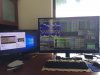
This is my current computer. See only the first and last minute. I built it, tweaked Windows, installed all the software, etc...

Dell capacitor plague;
"Documents recently unsealed in a three-year-old lawsuit against Dell show that the company's employees were actually aware that the computers were likely to break. Still, the employees tried to play down the problem to customers and allowed customers to rely on trouble-prone machines, putting their businesses at risk. Even the firm defending Dell in the lawsuit was affected when Dell balked at fixing 1,000 suspect computers, according to e-mail messages revealed in the dispute."
https://www.theguardian.com/technology/blog/2010/jun/29/dell-problems-capacitors
 
Yep, M93p Tiny's are excellent little machines.

I installed 3 ea. M93p Tiny's in an office environment i5 (dual core) - 8gb Ram ~$300.
(ebay new)

Upgraded Samsung 256gb 850evo SSD's ~$100

Replaced the VGA port with an additional Displayport for ~$20 (ebay) - (Dual Ports)

Users preferred dual ports as opposed to daisy chaining Displayport. They were just driving dual 1080P. (Samsung VS278H Monitors). They could easily have daisy chained though...

Anyway, the total unit cost for the M93p tiny's was ~ $400. They are more than sufficient for typical discretionary trading and make nice little home, travel units...

FYI, the M93p's do have strong 803.11 N wifi with ~4" antennas on rear....
 
Dell capacitor plague;
"Documents recently unsealed in a three-year-old lawsuit against Dell show that the company's employees were actually aware that the computers were likely to break. Still, the employees tried to play down the problem to customers and allowed customers to rely on trouble-prone machines, putting their businesses at risk. Even the firm defending Dell in the lawsuit was affected when Dell balked at fixing 1,000 suspect computers, according to e-mail messages revealed in the dispute."
https://www.theguardian.com/technology/blog/2010/jun/29/dell-problems-capacitors

I recall that. Seems problem was in their el-cheapo lines... which are no better than any other maker's.

Dell's best quality line is Precision. All of their other lines are just run-of-the-mill.
 
Thinkcentre comes with bluetooth and Wifi (usb/wifi dongle is only a few bucks)
I have a M93p Tiny i5 attached behind a 4k monitor (MicroBoard 43") + a dell monitor.
This provide a clean desk and floor set-up , no cable web. I only have the power cable dangling from the computer.
It can run and display more app than I can use or read.
What sold me on the M93p is the small form factor, Thinkcentre reallibility on site service, integrated Intel Hd graphic , displayport.
Here is the spec
http://psref.lenovo.com/syspool/Sys/PDF/ThinkCentre/ThinkCentre M93 M93p Tiny/M93 M93P Tiny.pdf
send a pic of your setup
 
send a pic of your setup

This is to give you an idea of the capacity of the Lenovo M93p Tiny.
I Think it can drive up to 9 monitor 1920 x 1080 with the 2nd displayport option.
I only use 2/3 of the 4k 43" monitor, I rarely use attached dell monitor.
First time posting image in this forum not sure what they would look like.
I tried Imgur but no go
IMG_6730.JPG
IMG_6728.JPG
IMG_6734.JPG
IMG_6739.JPG
IMG_6740.JPG
 
Last edited:
  • Like
Reactions: d08
This is to give you an idea of the capacity of the Lenovo M93p Tiny.
I Think it can drive up to 9 monitor 1920 x 1080 with the 2nd displayport option.
I only use 2/3 of the 4k 43" monitor, I rarely use attached dell monitor.
First time posting image in this forum not sure what they would look like.
I tried Imgur but no go
View attachment 167837 View attachment 167838 View attachment 167839 View attachment 167840 View attachment 167841
is that a vintage IBM PS2 keyboard? Almost mid century modern ...
 
This is to give you an idea of the capacity of the Lenovo M93p Tiny.
I Think it can drive up to 9 monitor 1920 x 1080 with the 2nd displayport option.
I only use 2/3 of the 4k 43" monitor, I rarely use attached dell monitor.
First time posting image in this forum not sure what they would look like.
I tried Imgur but no go
View attachment 167837 View attachment 167838 View attachment 167839 View attachment 167840 View attachment 167841
I've been testing 4k TV as monitor, 30hz is ok for trading. I was surprised it worked with nvidia nvs450. Next test is 2 x 4k monitors (TV). The six 1080P monitors works great. Behind my desk is a web of cables.
 

Attachments

  • myCompSetup.JPG
    myCompSetup.JPG
    95.8 KB · Views: 17
  • seiki4k.jpg
    seiki4k.jpg
    88.2 KB · Views: 17
I've been testing 4k TV as monitor, 30hz is ok for trading. I was surprised it worked with nvidia nvs450. Next test is 2 x 4k monitors (TV). The six 1080P monitors works great. Behind my desk is a web of cables.

That's why I opted for the Tini M93p to avoid the matrix of cables.(I have only the power cable connect to the wall).
Check the Korean monitor 4k they come in various make (MicroBoard/Wassabi/Mango Zen/AMH) and size but most of them have a brand name Panel LG or Samsung, for me the monitor I have right now is overkill as I only use 2/3 of it. I'm thinking to downgrade to a 34" WQHD 3440x1440.

http://www.koreanmonitor.com/guide-2015/

I just need a good Bluetooth sound bar .
 
Back
Top