
Blue Screen

Twice in the last several weeks I had a blue screen pop up during shut down. In short it said the physical memory was being dumped to protect the computer. The hard drive is half full. It's a 2002 Dell Inspiron laptop. I've rum Win doctor and disk doctor. Is the old girl dying, or is there something I can do to extend the life?
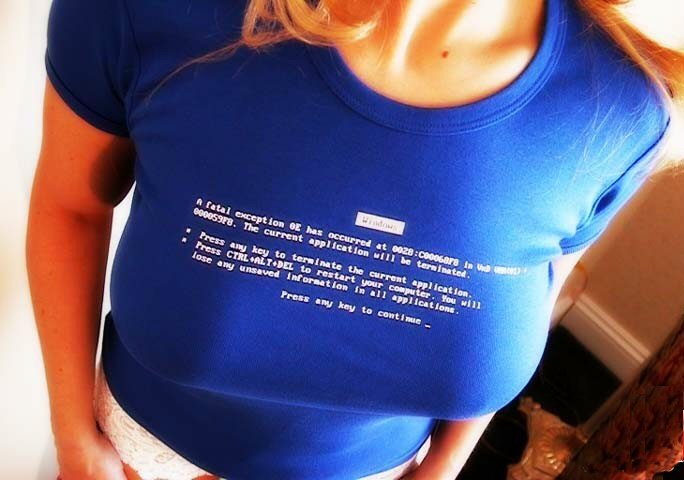

BlueScreen.jpg
 
Quote from Lucrum:

Twice in the last several weeks I had a blue screen pop up during shut down. In short it said the physical memory was being dumped to protect the computer. The hard drive is half full. It's a 2002 Dell Inspiron laptop. I've rum Win doctor and disk doctor. Is the old girl dying, or is there something I can do to extend the life?

Odds are that hardware is not the problem, but rather it's software. Easiest thing to do is reinstall the OS from scratch. I know, it's a PITA... but trying to run down the cause is also a pain.. and can take LOTS longer... and maybe without satisfactory resolution.

I can recall times in the past where I've thought... "for this amount of troubleshooting effort, I could have reinstalled the OS from scratch.. and have a fresh install to work with".

Do you have a backup image you can restore?
 
Quote from Scataphagos:

Do you have a backup image you can restore?
I don't think so. Also the OS was already installed and I don't have the original disks.
Quote from ChkitOut:

might want to try running combofix before reinstalling the os.

I'm looking at it right now
Quote from addias342:

I would check your hard drive. This could be a hard drive failure. How old is your hard drive?
I think it's 5 years old.
 
Quote from Lucrum:

I don't think so. Also the OS was already installed and I don't have the original disks.

Check eBay for a Dell Reinstallation XP disk. The year of the disk will need to be close to 2002 for it to work. Or, you could call Dell and ask them about supplying an XP disk to you.
 
My suggestion to you is to install a lightweight Linux distro (Bodhi Linux works for me) and run Windows from VirtualBox if you still need it on this box. I just did this with my old 2002 Dell Dimension and it is now running like a new computer. After 8+ years of Windows slowly turning the computer into molasses, now running a fresh copy of Linux feels like the speed has doubled.

PM me if you want the particulars of how I backed up Windows (I used a program called DriveImage XML... it works very well and is free for personal use) and restored to a Virtual Disk (*.vdi file). There are a lot of ins and outs to make this work but I was able to use my original Windows key (there should be a sticker somewhere on your Dell with this key) once I got XP restarted under VirtualBox so I'm still legal with Microsoft and running an authentic copy of Windows.

Put Windows in it's place... in a window! :)
 
Quote from Scataphagos:

Odds are that hardware is not the problem, but rather it's software. Easiest thing to do is reinstall the OS from scratch. I know, it's a PITA... but trying to run down the cause is also a pain.. and can take LOTS longer... and maybe without satisfactory resolution.

I can recall times in the past where I've thought... "for this amount of troubleshooting effort, I could have reinstalled the OS from scratch.. and have a fresh install to work with".

Do you have a backup image you can restore?

This. When it hits the fan, a reinstall of the entire OS is a great place to start. Don't have the discs? Call the manufacturer and ask for them. Make a note going forward that when you buy a computer, you want the discs. If they are not included (many do not now) call them up right away and say you want the discs or the computer will be returned.

Reinstalling the OS when something bad happens or just to clear all the crap off the computer is a great way to bring life back into the machine. I reinstall a couple times a year just to clear everything off and then put on what I need at that time.

Also get an external hard drive and store everything there. Once it's habit, then everything is there already and a reinstall doesn't cost you files.
 
If this is your trading box you're talking about, I suggest you buy or build a new trading box since it's 9 years old, and use that dino for a news/ e-mail/ surfing box. Boxes are very cheap today.
 
Back
Top