
You are using an out of date browser. It may not display this or other websites correctly.
You should upgrade or use an alternative browser.
You should upgrade or use an alternative browser.
Anyone having problems in running W7 64bits?
- Thread starter FunMan
- Start date
Quote from FunMan:
It looks completely different from 32 bits...is it from "system" or task manager or a separate software?
It is the standard Windows 7 / 2008 R2 Resource montor.
Same in 32 bit.
Open task manager. Go to performance. Right low - button "Resource Monitor".
 Now read documentation for the software you use.
32 bit with 4gb seeing 3.5 is not a Win7 problem, it is a bios / chipset problem that takes either 0.5gb for mapping hardware (server chipsets can hide that, cheap desktop ones not), or a video card that.... uses RAM and...
That is then not available for the computer, mostly on integrated graphics cards without dedicated memory.Quote from NetTecture:
32 bit with 4gb seeing 3.5 is not a Win7 problem, it is a bios / chipset problem that takes either 0.5gb for mapping hardware (server chipsets can hide that, cheap desktop ones not), or a video card that.... uses RAM and...
What you're referring to is not a "problem," it's by design because of the 32bit addressing limit of the PCI bus. Either you have a motherboard that supports PAE so that you can use more than 4GB of memory or you don't and you're going to be limited to between 3-3.5GB of memory due to memory-mapped I/O.
However, that has absolutely nothing to do with Windows because all 32bit Windows releases, including Win7, are limited to 4GB max due to a Microsoft licensing restriction.
Worse, the 64bit versions of Vista and Win7 are artificially limited as well. Basic is limited to 8GB, Premium to 16GB. The other versions support up to 192GB.
Dell T7400 with two CPUs and 16GB RAM. I know you asked for 8GB but all of my Xeon 5400 series / DDR2 machines have 16GB RAM.
The closest I could get to 8GB was a Dell T5500 with 9.0GB DDR3.
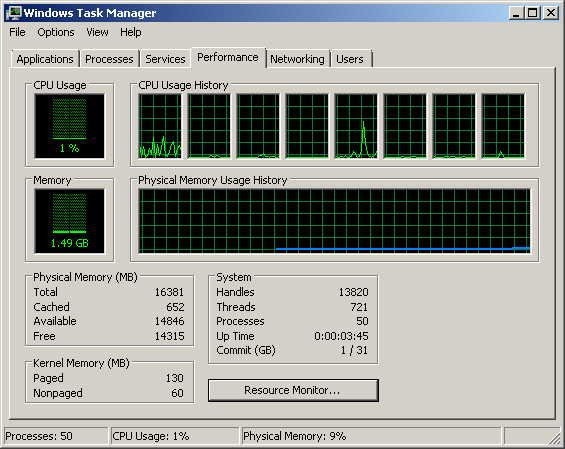
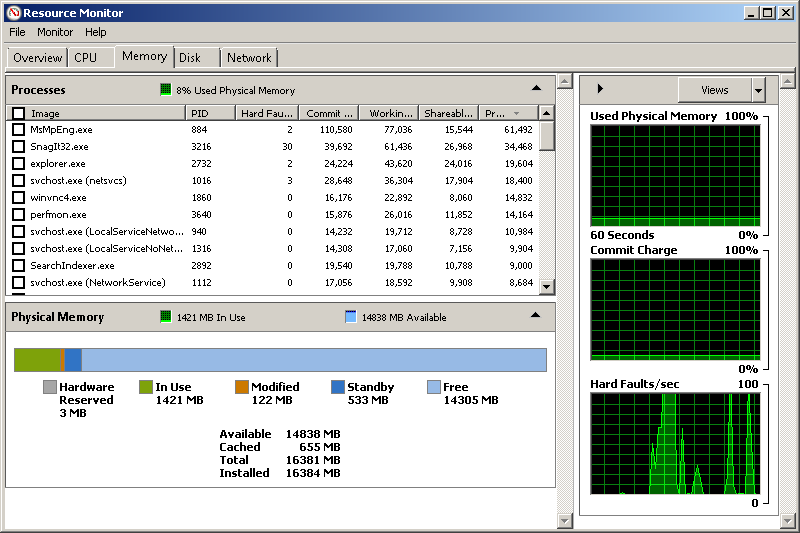
T7400 Below, dual X5460 CPUs, 16.0GB DDR2 and W7x64 Professional.
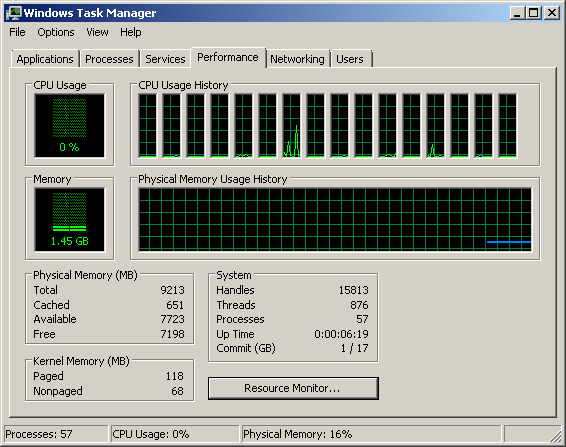
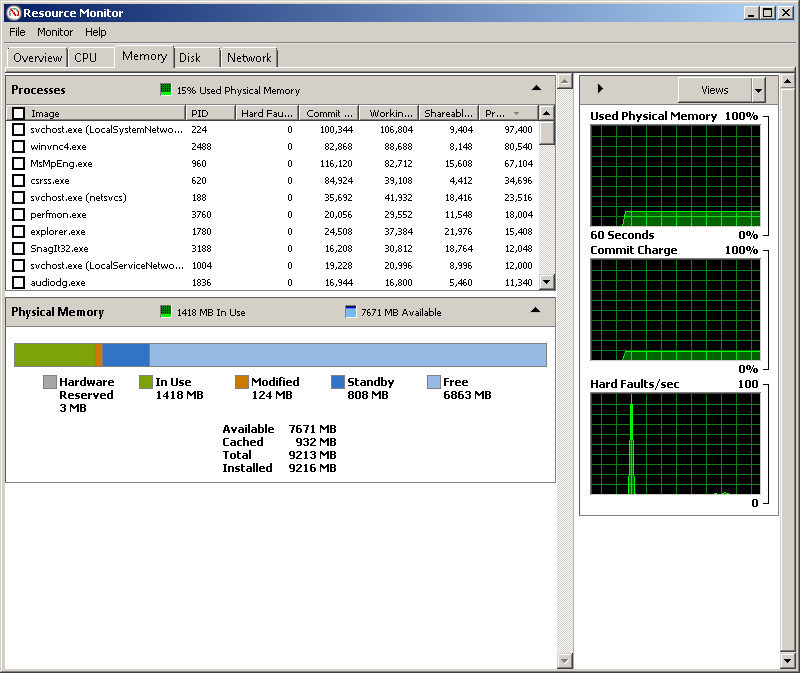
Dell T5500 with Dual X5680 CPU, 9.0GB DDR3 (normally runs 48.0GB DDR3 but swapped to 9.0 for this thread), Windows 7x64 Professional
Also, since 1000 isn't evenly divisable by 8 you will never have exactly 1.0 GB of RAM installed. You normally will see 1024MB installed.
Both examples above are just after a fresh reboot.
The closest I could get to 8GB was a Dell T5500 with 9.0GB DDR3.
T7400 Below, dual X5460 CPUs, 16.0GB DDR2 and W7x64 Professional.
Dell T5500 with Dual X5680 CPU, 9.0GB DDR3 (normally runs 48.0GB DDR3 but swapped to 9.0 for this thread), Windows 7x64 Professional
Also, since 1000 isn't evenly divisable by 8 you will never have exactly 1.0 GB of RAM installed. You normally will see 1024MB installed.
Both examples above are just after a fresh reboot.
Quote from FunMan:
When I install 64bit, do I need to do any settings on bios? or just install it and I will see 8GB physical ram available in "system"?
I know many mobo support 64bits
My netbook has a 64-bit compatable chipset but the motherboard only supports 3GB of memory... I have 32 or 64-bit activation keys but chose to run 32 bit on my netbook because of the memory limitation.
your laptop owners manual will state the max memory configuration supported.
What type/brand laptop are you trying to run this on?
No, I meant 64 bit 4GB RAM seeing 3.5GB RAM available...Quote from NetTecture:
It is the standard Windows 7 / 2008 R2 Resource montor.
Same in 32 bit.
Open task manager. Go to performance. Right low - button "Resource Monitor".
32 bit with 4gb seeing 3.5 is not a Win7 problem, it is a bios / chipset problem that takes either 0.5gb for mapping hardware (server chipsets can hide that, cheap desktop ones not), or a video card that.... uses RAM and...
I am using a desktopQuote from WinstonTJ:
My netbook has a 64-bit compatable chipset but the motherboard only supports 3GB of memory... I have 32 or 64-bit activation keys but chose to run 32 bit on my netbook because of the memory limitation.
your laptop owners manual will state the max memory configuration supported.
What type/brand laptop are you trying to run this on?

