Here is a screenshot of my basic layout for data entry into Excel.This is all very detailed and helpful. Thank you for taking the time to reply in such a fast manner. Would you mind providing some screenshots or even better a screen record so I can visualize everything you've done?
Also, how exactly do you copy the information from tradingview? I don't understand how is it possible to write the first two dates manually and Excel to do the rest of the work. Do you still do it manually or use some sort of magic?
Thank you!
Cell A16 tells the double-click events macros that the working column is column B.
This directs the event handler to recognize double-clicks in columns B and C, besides column A.
Cells A9 through A14 are sensitive to double-clicks, each one feeding a macro, most of which are for navigation up and down the working column (B).
Clicking on cell A9 will deposit starting and ending date-times into cells A7 and A8...and into the clipboard. I've pasted that info into each working column in rows 10 and 11 to facilitate a macro that will consolidate all this info into .csv files.
Row 15 in each working column (B15) tells the click macros how many decimals are in the price for this symbol. Entered manually.
Row 16 in each working column (B16) is used to store the last price that was manually entered via the input box macro. Stored automatically by a macro to help it's next calculation.
Next to that is a + or -, which is storage for the last position that was manually marked into the support column (C16). Stored automatically by a macro to help it's next calculation.
Column A serves all other columns. You only need to do this once. You can enter a date-time in cells A18 and A19, grab them, and pull down. Excel will see the pattern and continue. In this case the pattern is three minute increments. So it continues every three minutes, and handles the change in dates too. (You can also do this with VBA using the DateAdd() function).
I color even days green, and odd days pink.
Rows 2 through 8 in each working column give me enough info to track all this, and to go back to Tradingview and find my marks to resume work there. Otherwise, almost guaranteed they will be lost in a black hole.
Ok, in the left hand screenshot below, this is what it looks like after i've made my first pass at collecting data from Tradingview. I scroll down until i find the date-time of an entry or exit (or reversal) and click on column G. If the working column is F, this will trigger a macro that sets either an "+" for long position, or a "-" for a short position. You can put whatever string you like. Conditional formatting recognized my symbols and color codes green for a long position or a red-pink for a short position. Most of my positions are reversals, so i have my macro alternate the "+" and "-" symbols. But that can be reversed again by double clicking on either symbol.
While it enters a symbol in column G, it also enters an "O" (for Open) in column F.
Another macro will see the "O" and trigger some other things.
If i click on column F when there is nothing in column G, it will put a "C" which stands for Closed position (See 11/9/22 8:09 on the left below).
Now, looking at the screenshot on the right below, if i click on either and "O" or a "C", i'll get an input box asking me for the price where i'm taking this position at this time. Upon entering the price, the macro will take me down to the next "O" or the next "C" that it sees, and ask again for the price at that point. This two part process, with the assist of the macros, reduces mistakes to a very minimum. Notice the last price in the right side screenshot does not have a position, either long or short. The evaluation engine, which processes all this data, recognizes this as a closed position and handles it.
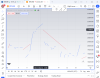
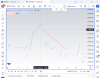
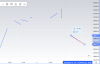
In the chart below i've marked up candlestick charts using trendlines for entry and exit.
But it's still cluttered. I just need a little info. So i make the bars disappear by clicking on the eyeball which you can see if you hover your mouse over the first line at the top after where it says BITTREX.
Now the screen is uncluttered and i can zero in on my entries and exits. In this particular window, i've used the same window to mark up both daily, as well as 4 hour time frames with the same algo/method. I've used red lines to mark the daily frames, and blue lines to mark the 4 hour frames. As mentioned, i use red to mark short trades, and blue to mark long trades. So a red mark slanted downward is going to be a winner. A blue mark slanted upward will also be a winner. And visa versa. It looks like i'm only taking long trades in the 4 hour time frame, and short trades on the daily. No. I'm marking longs and shorts on both. Mine is an always in method. The blank space between the red marks will be recognized, by the evaluation engine, as a long trade. The blank space between the blue marks will be recognized as short trades.
Last edited: