
You are using an out of date browser. It may not display this or other websites correctly.
You should upgrade or use an alternative browser.
You should upgrade or use an alternative browser.
AMP Futures Changed There Client Portal
- Thread starter Rickshaw Man
- Start date


Obstacles?
We did the opposite. We added more features to make everything easier for our clients, including depositing and withdrawing.
It is really simple...
We have also added Quick Help Videos to every page, so you can watch and learn exactly how to use each page.
%20-%20Client%20Portal/AMP%20Client%20Portal%20-%20Quick%20Help%20Videos.png)
If you prefer one-on-one support, please contact our 24-hour help desk in real-time via Phone or Live CHAT: https://www.ampfutures.com/contact-us
They will help you quickly.
Happy Trading!
What if your bank is not in the Plaid list of banks. What are your options to withdraw your funds?
Maybe AMP can answer this. Seems to have skipped right over it.
What if your bank is not in the Plaid list of banks. What are your options to withdraw your funds?
What if your bank is not in the Plaid list of banks. What are your options to withdraw your funds?

Maybe AMP can answer this. Seems to have skipped right over it.
What if your bank is not in the Plaid list of banks. What are your options to withdraw your funds?
bro, just go chat with them. stop wasting time waiting on response on this thread

Maybe AMP can answer this. Seems to have skipped right over it.
What if your bank is not in the Plaid list of banks. What are your options to withdraw your funds?
https://www.ampglobal.com/trading/deposit_withdrawal_options.html#
https://www.ampclearing.com/faq.html
You may withdraw funds by completing our online withdrawal request form. We can send money via check (only to the name on the account and to the address on file) or via bank wire.
From Post #4 in this thread...
Yes, we have upgraded our Client Portal to include 2FA and many other features...
Including Plaid Integration for our US Customers to perform Full ACH deposit and withdrawal function within the AMP Client Portal. This was one of our highest requested features.

AMP_Futures
ET Sponsor
Maybe AMP can answer this. Seems to have skipped right over it.
What if your bank is not in the Plaid list of banks. What are your options to withdraw your funds?
Easy.
By default, when a deposit is received, the original funding bank account will automatically become available for you to select when making your withdrawal request - back to your original funding bank account "closed loop"
If you want to add a New Bank Account for Withdrawal
> You will log in to your AMP Client Portal > Treasury > Add New Bank Account
You will submit your Bank Account Information, then once your new bank is approved, it will become available by default for you to select for any future withdrawals.
When you log in to your AMP Client Portal - you will see we have created a Quick How-to video. Please watch it and you will be ready to proceed.
%20-%20Client%20Portal/AMP%20Client%20Portal%20-%20Quick%20Help%20Videos%20-%20Add%20Bank%20for%20Wire%20Withdrawal.png)
@AMP_Global
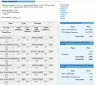
I am having difficulty to open this web page correctly
https://portal.ampclearing.com/account/commissionquote.aspx
This is how the web page appears
I am having difficulty to open this web page correctly
https://portal.ampclearing.com/account/commissionquote.aspx
This is how the web page appears
Attachments
AMP_Futures
ET Sponsor
Updated. Please check now: https://portal.ampclearing.com/account/commissionquote.aspx